

App
A Field Service App Designed So You And Your Team Can Pick Up And Go.
Run your day-to-day operations from anywhere and watch the job get done faster when your team’s organized and your process is streamlined.
Your team knows their assignments for the day, and you know their whereabouts as they move from job to job.
Download the Jobber mobile app for iOS or Android and add your team members as authorized users on your Jobber account.
Available on all plans. Visit Pricing
App Details:
- SchedulingJob scheduling made easy
- Job DetailsA clear picture of what needs to be done
- GPS Tracking Stay informed on your team’s location in the field
- Invoicing and PaymentsInvoice easily and get paid fast
- Notes and AttachmentsAdd notes and attach files to clients visits and jobs.
- Quick CreateCreate clients, quotes, and jobs from any screen in the app
Scheduling
The mobile app gives you the information you need up front, so you can make fast and accurate scheduling decisions in the field.
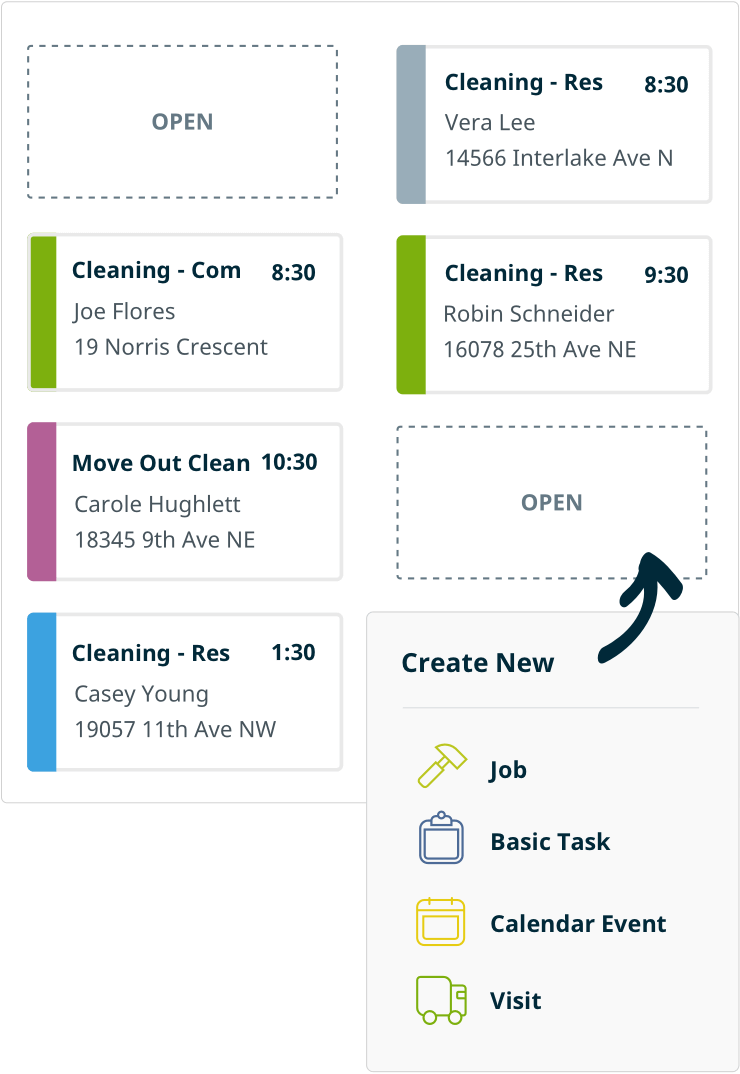
When a new job comes in, you can easily toggle back and forth between the day view or list view to see your availability at a glance.
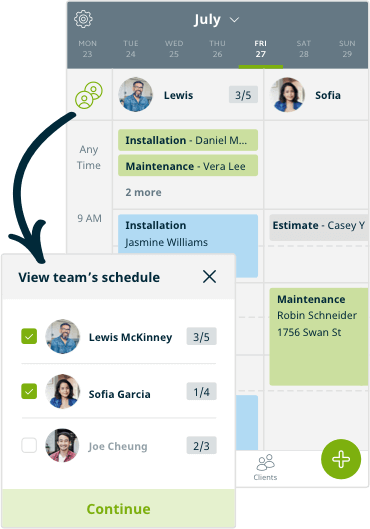
You can also compare team member schedules with team view, side-by-side availability in the app that makes it easy to see who’s free—on the spot.
Choose an available time slot, then tap to immediately start scheduling a new task or job.
View Team Progress
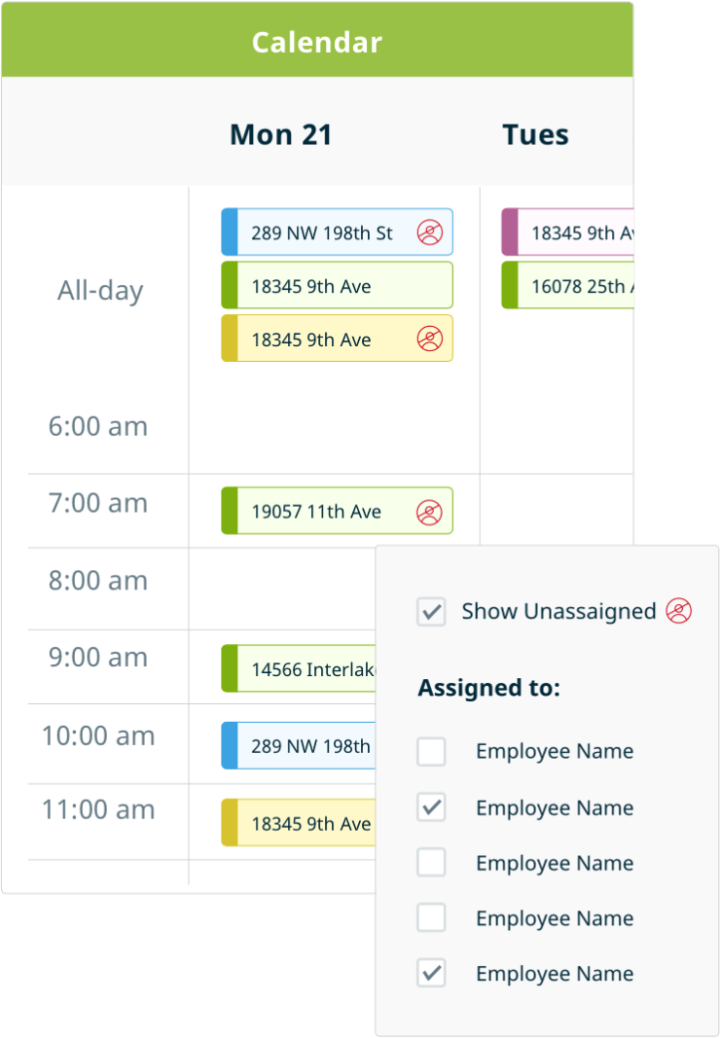
Personalize your calendar with Jobber’s color coding and filter the tasks you want to show or hide on the calendar, and assign calendar colors to certain users, or tasks that have key words in the title.
You can also sort your calendar items by status—such as unscheduled, overdue, upcoming, or completed—so that you don’t miss any tasks on your to-do list.
Stay Up-To-Date
The Jobber mobile app is also your team’s source for their most up-to-date schedule.
If you make a schedule change to their current workday, the app alerts them with a push notification.
Job Details
Client and property information are paired up with service items and notes so that your team has a clear picture of what needs to be done.
Custom forms and checklists and the ability to attach photos to jobs help with quality assurance.
Manage your team permissions, so your crew only sees what you want them to see.
TRY JOBBER FOR FREE
All The Features, All The Support, And No Credit Card Required.
GPS Tracking
When you clock in and out, or add a note or attachment to a job, Jobber records a GPS waypoint.
You can see where your team members are and adjust the rest of the day’s jobs accordingly, and you have another avenue to confirm a job well done with a client.
Learn more about GPS tracking.
Invoice And Payments
When you mark a job complete, you can create an invoice from the Jobber mobile app.
If you’re using Jobber’s credit card processing, you can use the Jobber Card Reader to accept debit and credit card payments or manually record other payment methods such as cash or check.
Notes And Attachments
Add notes and attach files to client visits and jobs.
Record unlimited special requirements or instructions, include photos or signed agreements, track interactions—whatever note or file type you need to have on record.
You can also add notes and attachments directly to a client’s account.
Quick Create
Use the + button in the bottom right corner of the app to access a quick create menu and get a head start on some key actions in Jobber.
From this menu, they can create new client profiles, track their expenses, schedule one-off jobs, create work requests, generate quotes, or set up and schedule tasks, such as a reminder to buy supplies or follow-up with a customer.
Frequently Asked Questions
Job scheduling software helps businesses schedule their team across different job sites and tasks. Some scheduling software, like Jobber, is designed specifically for field service businesses where the teams work out in the field and have different appointments or job sites to go to.
You bet! Jobber handles recurring jobs really well. Whether your job is just one visit or 100 visits, whether you visit your client every Tuesday, or every Third Friday of each month—you can customize your recurring schedule. And, if things change (because that’s just life), we make it easy to move or edit future visits for a job.
Yes! Running a field service business means you’re often working away from the office and Jobber lets you manage your operations from anywhere. With the Jobber app you have the tools at your fingertips to schedule you and your team with just a few clicks.
Sometimes unexpected weather means you need to visit all your clients on the same day or move all your visits to a new day! You don’t have time to get lost in administrative tasks and Jobber helps organize your business and put you to work quickly. Jobber’s bulk scheduling allows you to easily schedule multiple visits for multiple clients at once.
Great question, I’m glad you asked. In Jobber, you can think of the job as the contract to do the work, and the visits as the individual days when you or your team are doing the service.